Choosing a Bluetooth Calling Smartwatch is no longer about selecting the brightest screen. It is about matching daily habits with dependable communication. A runner may need clear calls beside a noisy road. A commuter may value quick replies inside a crowded train. A parent may prefer reliable contacts, strong vibration, and simple emergency access.
Market evidence supports careful comparison. Counterpoint Research reported that global smartwatch shipments increased by 3% year over year in 2024. IDC’s Worldwide Quarterly Wearable Device Tracker also continues to monitor strong consumer interest in wearable technology. However, these reports often group different watch types together. That makes direct product comparisons imperfect. The numbers help, but they do not replace hands-on testing.
Jitesh Ubrani, IDC’s research director for mobile devices and consumer electronics, has said, “Wearables have become a key part of consumers’ daily lives.” That observation matters when evaluating calling performance, microphone quality, battery endurance, and phone compatibility. A Bluetooth Calling Smartwatch can feel almost invisible during a normal day. Poor pairing can make it frustrating within minutes.
This guide examines the practical details behind a confident purchase. It considers Bluetooth range, speaker volume, app stability, cellular support, privacy controls, and health features. It also questions attractive specifications that may not improve real-world use. A large display is useful. It is not everything. The best choice depends on where, how, and how often the watch will be used.
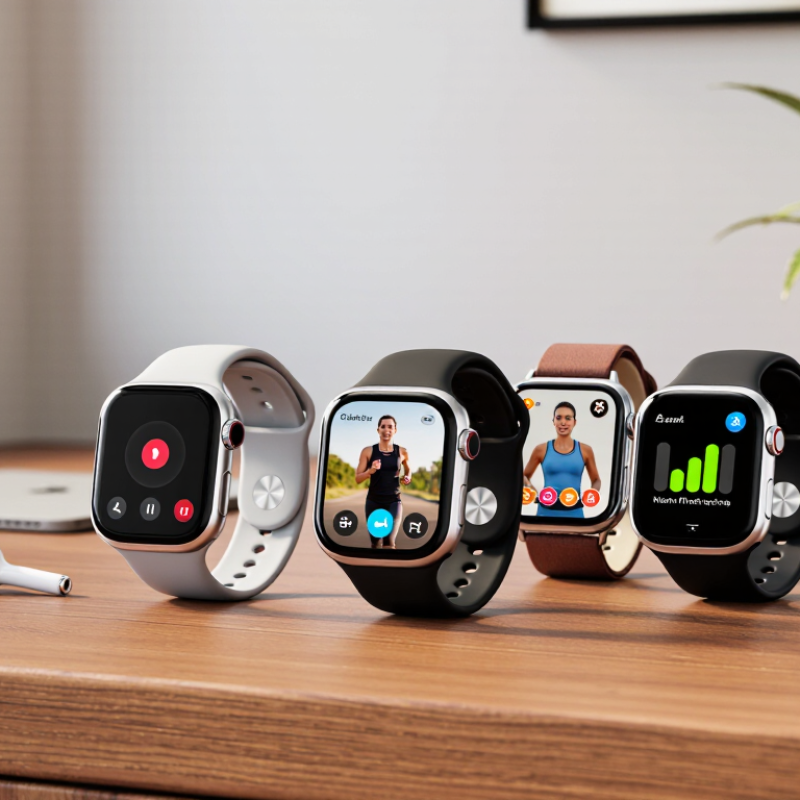
Before choosing a Bluetooth calling smartwatch, define how you will actually make calls. Do you need short conversations during commuting, exercise, or household tasks? A clear microphone and loud speaker matter more than decorative functions. Bluetooth SIG’s 2024 market update reported 5.4 billion Bluetooth device shipments in 2023. This scale supports broad compatibility, but connection quality still depends on your phone, distance, and surroundings.
Check your phone’s operating system and Bluetooth version before purchasing. Then test the watch near traffic, inside a room, and beside moving water. Walls can interrupt calls. So can crowded wireless spaces. A practical requirement is simple: the watch should connect quickly, keep voices understandable, and let you reject calls without touching your phone. Battery life also needs a realistic target. Daily calling, notifications, and health tracking may reduce the advertised endurance.
Your smartwatch needs may be different from your calling needs. Grand View Research estimated the global smartwatch market at about 33.6 billion dollars in 2023 and projected strong growth through 2030. More choices do not always mean better decisions. I once focused too much on screen brightness and ignored call controls. That was a poor priority. Consider comfort, button size, charging time, water resistance, and notification settings. If you need calls away from your phone, Bluetooth alone may not be enough. In that case, examine cellular capability, service costs, regional support, and emergency-use limitations carefully.
| Requirement | Recommended Target | Why It Matters | What to Check Before Buying |
|---|---|---|---|
| Calling Method | Bluetooth calling for phone-connected use; LTE calling for independent use | Bluetooth calling normally routes calls through a paired smartphone. LTE calling can work without the phone nearby but requires compatible network service and an activated plan. | Confirm whether the watch supports Bluetooth-only calls, cellular calls, or both. Check cellular compatibility in your country. |
| Bluetooth Version | Bluetooth 5.0 or newer | Newer Bluetooth versions generally provide improved power efficiency, connection stability, and compatibility with current smartphones. | Check the technical specifications and confirm that the watch supports phone-call audio, not only notifications. |
| Hands-Free Calling Profile | Hands-Free Profile (HFP) | HFP is the Bluetooth profile commonly used for voice calls between a phone and a hands-free device such as a smartwatch. | Look specifically for HFP or Bluetooth calling support. Notification mirroring alone does not guarantee two-way calling. |
| Speaker and Microphone | Built-in speaker and microphone with echo and noise reduction | A speaker is required to hear the caller, while a microphone is required for two-way conversation. Noise reduction can improve speech clarity outdoors. | Review independent call-quality tests and check whether the microphone remains usable when the watch is worn on the wrist. |
| Phone Compatibility | Support for the required smartphone operating system and current Bluetooth standards | Some functions, including calling, contacts, messaging, and app synchronization, may differ between operating systems. | Verify the minimum supported operating-system version and whether all calling features work with your specific phone type. |
| Battery Life | At least 1–2 days with frequent calling; 5–14 days for many normal-use models | Voice calls, cellular radios, GPS, high brightness, and continuous health sensors consume more power than basic timekeeping. | Compare the manufacturer’s normal-use estimate with its calling, GPS, and cellular estimates. Check charging time and charger availability. |
| Water Resistance | At least 5 ATM or an equivalent swim-rated specification for swimming use | Water-resistance ratings indicate tested protection under specific conditions. They do not automatically mean the watch is suitable for every water activity. | For everyday splash protection, check the stated rating. For swimming, confirm an explicit swimming recommendation and avoid high-pressure water unless permitted. |
| Display and Controls | Readable display of approximately 1.2–1.5 inches with physical or touch controls | A sufficiently large, bright display makes caller identification and call controls easier, especially outdoors or while moving. | Check screen brightness, outdoor readability, glove or wet-finger operation, font size, and whether calls can be answered from the watch. |
| Call Controls | Answer, reject, end, mute, volume adjustment, and recent-call access | Complete controls reduce the need to take out the phone and make the watch more practical for commuting, exercise, and driving-related hands-free use. | Confirm which controls are available during an active call and whether contacts or recent calls can be accessed from the watch. |
| Contacts and Notifications | Contact synchronization, caller ID, missed-call alerts, and message notifications | Caller identification and synchronized contacts help users decide whether to answer without reaching for the phone. | Check contact permissions, notification permissions, supported messaging apps, and whether notifications continue when the phone is locked. |
| Connection Range | A practical indoor range of approximately 10 metres under typical Bluetooth conditions | Walls, metal objects, body position, and radio interference can reduce the effective range of a Bluetooth connection. | Test the watch in the locations where it will be used. Do not assume the maximum theoretical range will be available indoors. |
| Comfort and Size | Case size and weight suited to the wearer; adjustable strap with a secure fit | A comfortable fit improves microphone positioning, sensor contact, sleep wearing, and long conversations. | Compare case dimensions, weight, strap width, wrist-size range, and whether replacement straps are available. |
| Privacy and Security | Device lock, secure pairing, permission controls, and regular software updates | Calls, contacts, health data, and notifications may be sensitive. Security controls help protect the watch and connected phone. | Check whether a PIN or passcode is available, how pairing is authenticated, and how long software support is provided. |
| Priority for Different Users | Frequent callers: audio quality; athletes: durability; travelers: battery and compatibility; independent users: LTE | The best configuration depends on how often calls are made, whether the phone is nearby, and how the watch will be used. | Rank calling, battery, durability, health tracking, navigation, and independent connectivity before comparing models. |
Selection principle: Choose the calling method first, then verify phone compatibility, audio hardware, battery performance, water resistance, and the controls you will use most often.
Confirm the watch supports your phone’s operating system version. Check permissions for contacts, microphones, notifications, and call history. Test everything. Place a call, answer another, and walk several metres away. Walls may weaken the connection.
It depends on the model. A phone-dependent watch needs the phone nearby for network access. An independent cellular model usually needs an eSIM, a supported network, and an eligible voice plan. Confirm this in writing before buying.
No. Network coverage, roaming, activation charges, and emergency-calling rules vary by country. The watch and phone may also need one account. This detail is easy to misunderstand.
Ask the carrier to confirm the exact model, eSIM eligibility, monthly cost, and number-sharing requirements. Test calls without the phone nearby. Check reception indoors, not only beside a window. Review the return policy before activation.
Reliable heart-rate, sleep, step, and blood-oxygen tracking can support healthy habits. These readings are not medical diagnoses. Test the watch during a walk, after exercise, and overnight. Consistency matters more than a crowded feature list.
Look for a clear speaker, sensitive microphone, and stable wireless connection. Physical buttons can help during rain or exercise. Try contacts, volume, and call rejection with one hand. Deep menus can make missed calls more likely.
Wear the watch for an hour before buying, especially if your skin is sensitive. Check the strap, glass, water resistance, warranty, and charging design. Sleep comfort matters. A very light case may feel less robust.
Set a practical budget before comparing specifications. Match features to your routine, such as office alerts or outdoor visibility. Frequent calls, location tracking, and health sensors can shorten battery life. Independent testing is helpful, but I sometimes trust advertised endurance too easily.
Choosing the right Bluetooth Calling Smartwatch starts with understanding how you plan to use it. Consider whether you need simple call notifications, hands-free conversations, fitness tracking, or independent calling without your phone. Check that the watch is compatible with your smartphone’s operating system and confirm whether cellular calling requires a separate service plan or supported network connection. Battery life, Bluetooth stability, microphone performance, speaker clarity, and call reliability are also important for everyday convenience.
Next, evaluate the features that match your lifestyle, such as health monitoring, activity tracking, voice controls, notification management, water resistance, and a durable design. Comfort matters just as much, especially if you intend to wear the watch throughout the day or during sleep. Finally, compare available models by balancing essential functions, build quality, connectivity, and price. The best choice is not necessarily the most advanced option, but the one that provides dependable calling and useful daily features within your budget.